

GOOGLE EARTH ENGINE
MapBiomas uses the technology of the Google Earth Engine platform. We make the scripts available for access to the MapBiomas Suriname Collection 1.
Follow the instructions below for access:
- Register for the Google Earth Engine platform using a Gmail account via this link: https://earthengine.google.com
- You will receive permission to access the platform within a few days.
- Once you are registered with Google Earth Engine, you can log in and select the scripts you want to run.
- Adjust the parameters to obtain the desired map.
We encourage users of MapBiomas scripts to share their suggestions for improvement or innovation with us, so that we can continue to improve the scripts! contato@mapbiomas.org
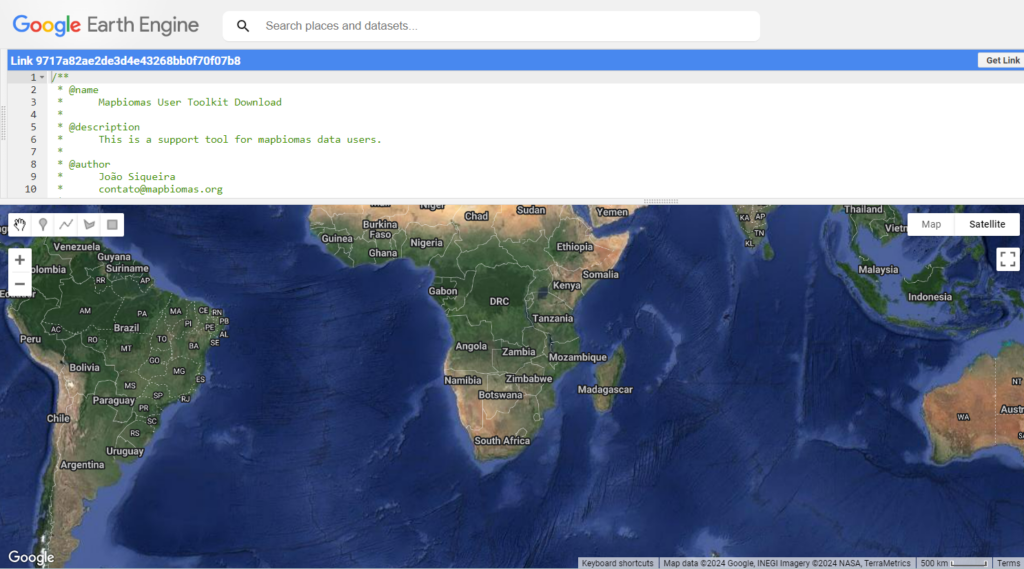
The MapBiomas collection is directly accessible in Google Earth Engine, without the need to download or upload data. Don't forget to download the document containing the legend codes at: suriname.mapbiomas.org/legend-codes
Regional assets
Suriname:
- projects/mapbiomas-suriname/assets/LAND-COVER/COLLECTION-1/GENERAL/integration/
GITHUB
MapBiomas Suriname Processing-code-repository
The codes used by MapBiomas Suriname to generate the maps—including classification, spatial and temporal filters, data integration, transition generation, and the calculation of statistics—are available in the GitHub code repository.
Access: GitHub Suriname